Suppliers
Turn product pages into projects.
Visitors see your fences and gates as a finished result on their own land, and you receive a concrete request instead of a vague question.
For your website
Add the SpecStack planner to a supplier or installer website. Visitors pick a fence, draw it on their own land and see it in 3D. You receive the drawing as a measured request.
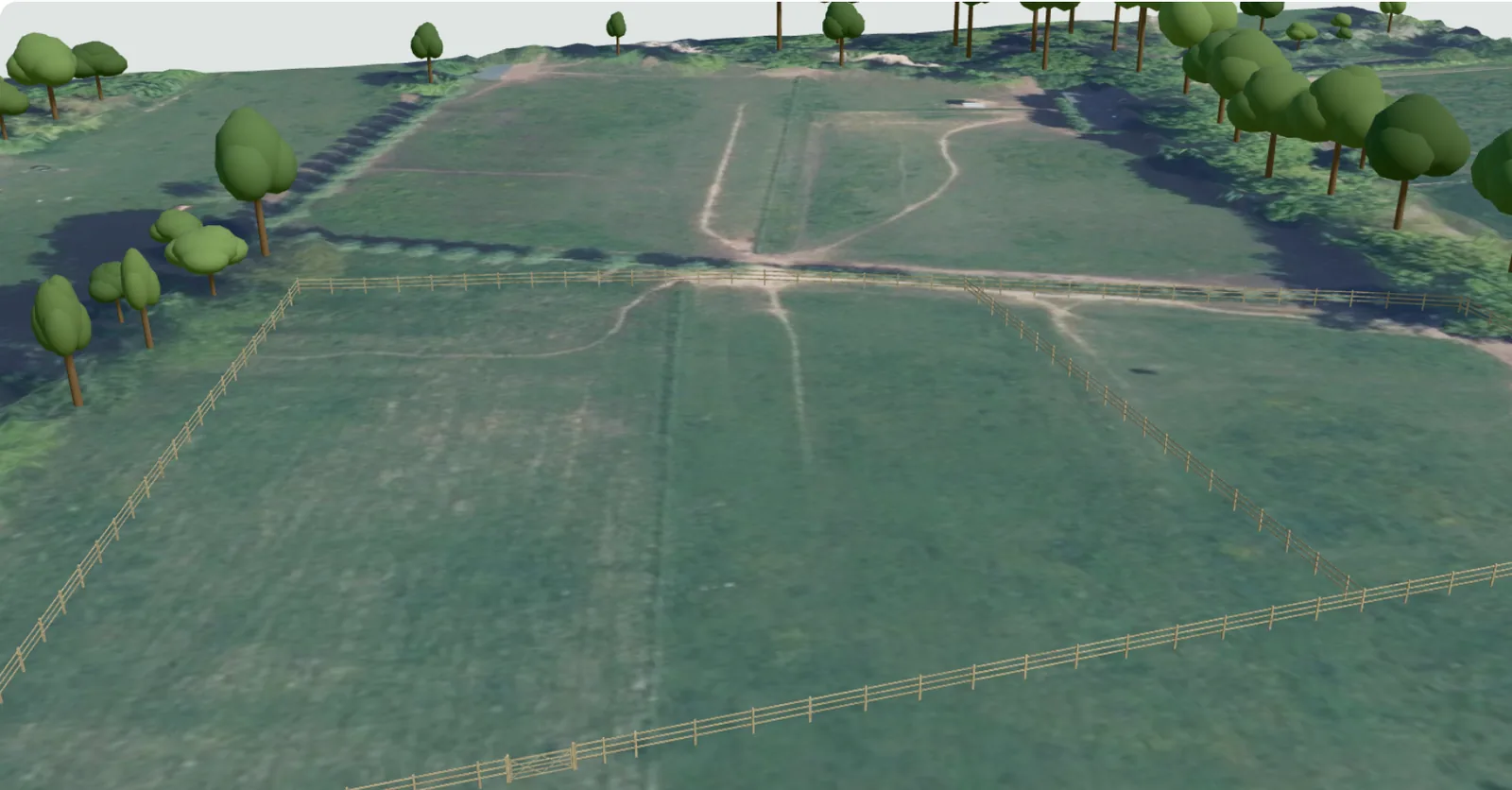
Fig. 01 · On your website
They browse the fence types and gates and see each choice in 3D straight away.
They find their address, draw the fence on the satellite map and place the gates. Drawing is optional.
A short form sends the drawing and their contact details to you. No account, no app.
Open the plugin as SpecStack runs it, pick a fence and draw it on a piece of land you know. This is the standard version, without a logo or prices.
Yours is set up for your company: your logo, your products, prices shown or left out. Tell us what your website needs when you ask for the plugin.
Opens in a new tab. It is a demonstration: nothing you fill in there is sent.
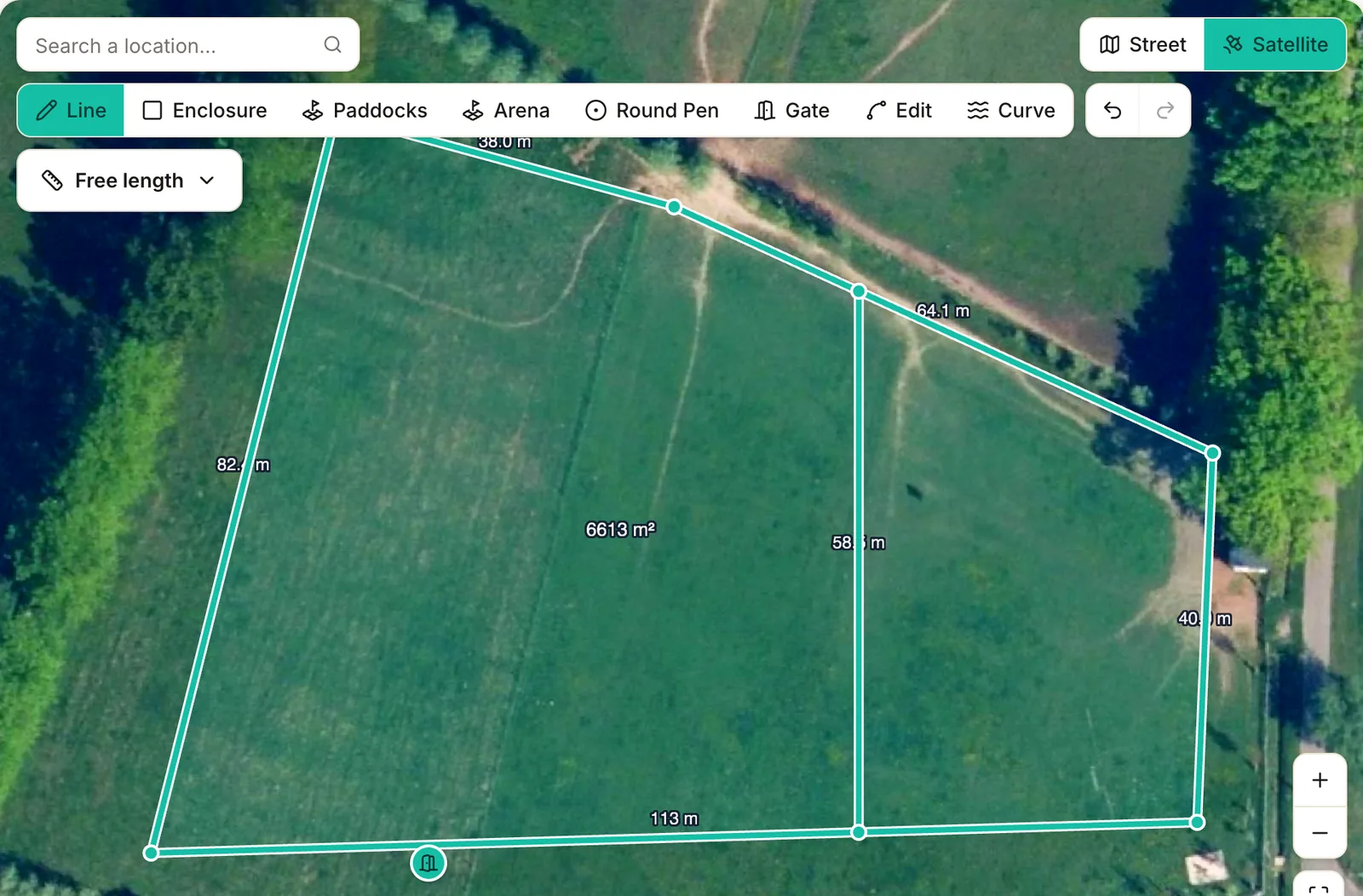 Already measured
Fig. 02 · In your inbox
Each request arrives in SpecStack as a lead: who it is from, what they wrote and the drawing they made. Open it on the map, adjust it if needed and turn it into a draft quote.
Fig. 03 · Installation
Paste them where your website accepts HTML. The planner sizes itself to the page and works on a phone.
<div data-specstack-embed="your-key"></div>
<script src="https://www.specstack.eu/embed.js" async></script>
You receive your key when we register your website.
Fig. 04 · Who it is for
Suppliers
Visitors see your fences and gates as a finished result on their own land, and you receive a concrete request instead of a vague question.
Installers
Your website takes the first measurement for you. Open the request in the configurator, check it and quote it.
Fig. 05 · Questions
No. They choose, draw and send without signing up for anything.
Only if you want it to. A price indication can be switched on for your planner; without it, no price appears anywhere.
Dutch, French, English, Spanish and German. It follows the language of the visitor's browser, and the visitor can switch.
No. Your key only works on the website that was registered for it.
No. It is an impression that helps a visitor picture the result. The measurements you quote from come from the drawing on the map.