Fig. 01 · From line to quote

Draw the fence.
The quote writes itself.

SpecStack is the quoting tool for fencing installers. One drawing on the map becomes a materials list, a price, a branded customer quote and a supplier order.

  • NL · FR · EN · ES · DE
  • Runs in the browser
  • Phone, tablet, desktop
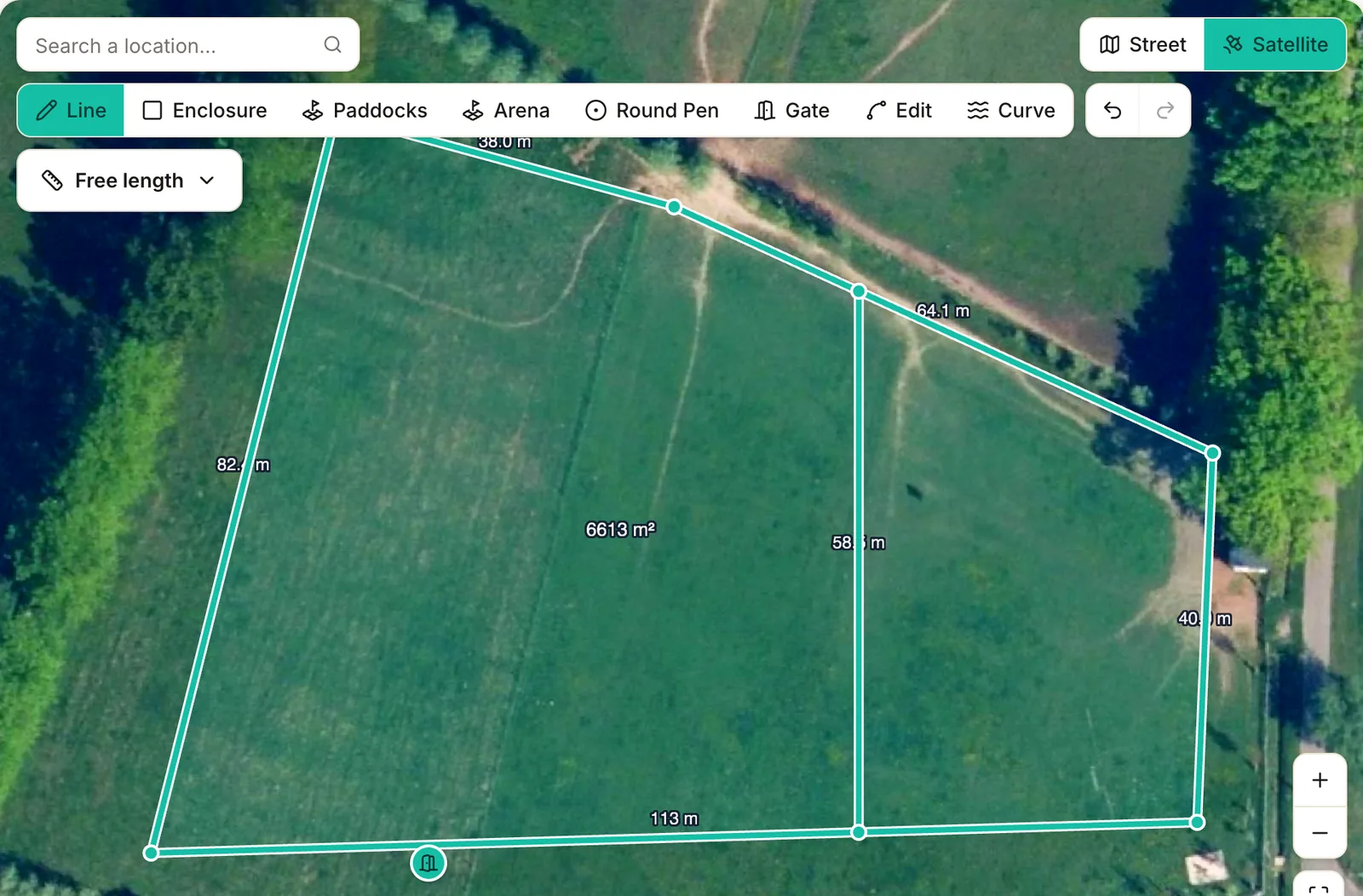
The SpecStack drawing screen: a paddock traced on a satellite photo, each side labelled with its length and a gate placed on the bottom run 113 m. Measured, not guessed. Gate included No tape
measure
needed

Fig. 02 · One platform, three ways in

For the installer, for the website, for the back office.

For installers 01

The configurator

Draw or type in a project. SpecStack counts every post, rail and gate, prices it from your supplier's price book and builds the quote.

  • Branded quote PDF, plan drawing and Excel
  • The fence in 3D on the real terrain
  • Order from your supplier in one step
Explore the configurator
For your website 02

The website plugin

Let customers sketch their own fence on your website. They see it in 3D. You receive a measured request that turns into a quote.

  • Two lines of code on any website
  • Your logo, your visitor's language
  • Requests land in your SpecStack inbox
Explore the plugin
For suppliers 03

The ERP connection

Connect SpecStack to the ERP you already run, so orders, customers and articles are not typed twice.

  • Orders arrive in the supplier's system
  • Customers and prices stay aligned
  • Set up together with your team
Explore the ERP connection

Fig. 03 · How it works

Four steps. No spreadsheet.

  1. Draw

    Trace the fence on the satellite map, or type the lengths. Gates go exactly where they will stand.

  2. Count

    Posts, rails, gates and fittings are counted for you. Whole rails, no guessing.

  3. Quote

    A customer-ready quote in your branding, with a plan and a 3D view of the result.

  4. Order

    Send the order to your supplier. Packing and transport are worked out too.

your-website.com/plan-your-fence
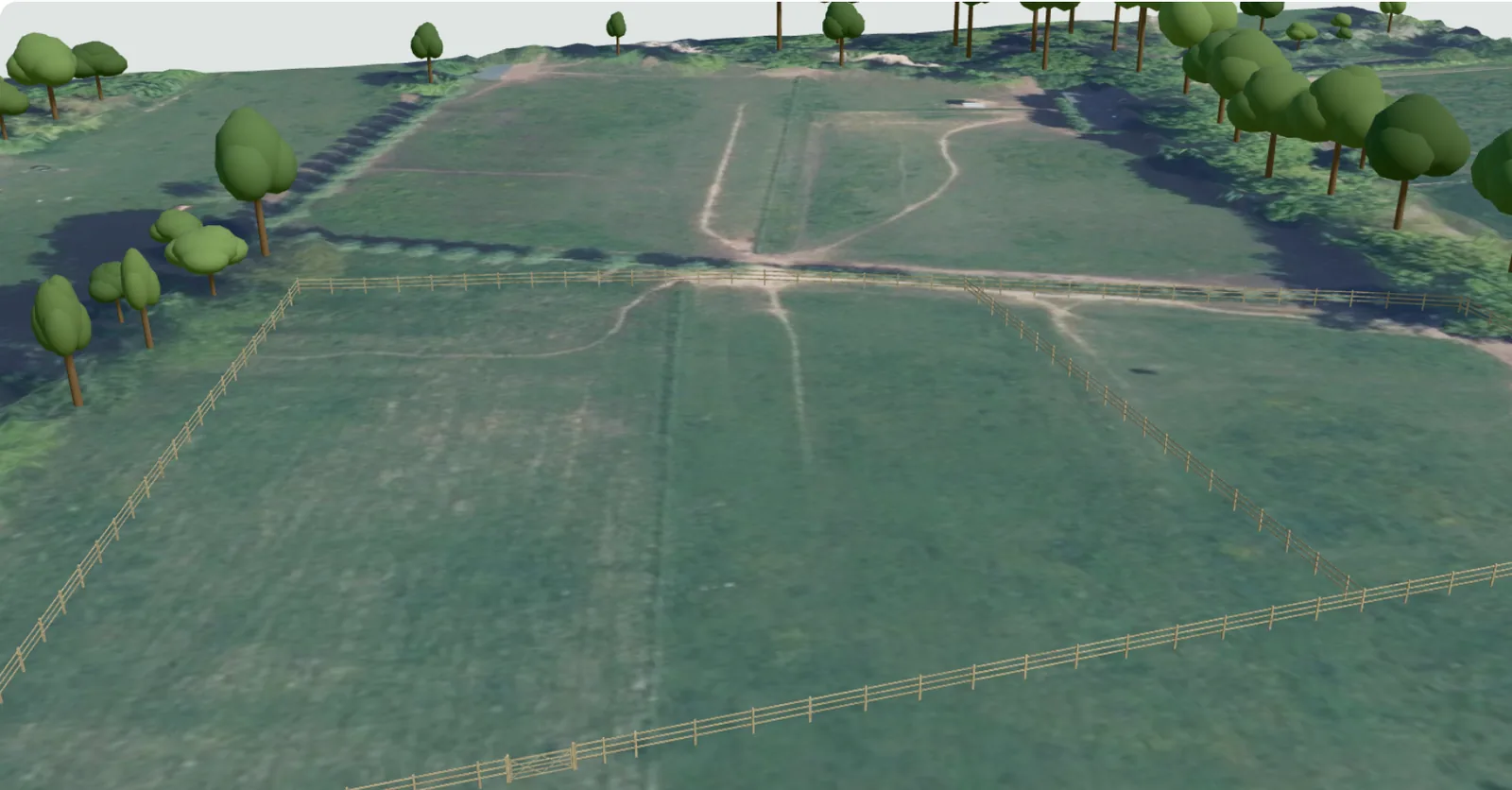
A fenced paddock shown in 3D on the real terrain, with trees and paths
Drawn by your customer

Fig. 04 · Website plugin

Your customers draw it. You get a measured request.

Put the SpecStack planner on a supplier or installer website. Visitors draw their fence and gates on the map, see it in 3D and send it to you. It arrives as a lead with the drawing attached, ready to become a quote.

<div data-specstack-embed="your-key"></div>
<script src="https://www.specstack.eu/embed.js" async></script>

That is the whole installation.

How the plugin works

Fig. 05 · ERP connection

It talks to your ERP.

SpecStack can be connected to the ERP system a supplier already runs. What an installer orders reaches the supplier's back office, and the customers and articles on both sides stay the same.

How the connection works

SpecStackQuotes and orders
Your ERPStock and invoicing

Integrations are set up per supplier. Ask us about yours.